Notion Review 2026: Pricing, AI Agents, Pros and Cons
Researched with AI assistance and reviewed by our editor. Our process
Disclosure: we may earn a commission if you buy through links on this page, at no extra cost to you. It never changes our verdict. How we make money
Our verdict
Notion is a block-based workspace for docs, wikis, databases, projects and AI, and it is strongest as a team knowledge base. Startups and docs-first teams replacing several tools should buy it, and the Business plan at $20 per member per month is where the full AI suite lives. The main caveats are thin automation, slowdowns on large databases and Custom Agent credits that cost extra.
Best for
- ✓ Docs- and wiki-first teams
- ✓ Early-stage startups consolidating several tools
- ✓ Teams that want AI inside their own knowledge base
- ✓ Solo users who need a capable free workspace
- ✓ Product teams pairing specs with lightweight sprint tracking
Not for
- ✗ Teams that need deep workflow automation
- ✗ Engineering orgs needing Jira-level issue tracking
- ✗ People who work offline often
- ✗ Teams that want zero setup
For most docs-first teams and startups, yes. Notion combines docs, wikis, databases, projects and AI in one workspace, and it has a free plan to start on.[1][2] It holds 4.6 out of 5 on G2 from 13,871 reviews as of October 2026.[3] Its weak spots are automation depth, performance on large databases and slow support.[4][2]
The Business plan's AI is worth $20 per member per month if your team will use Notion Agent and AI Meeting Notes every week.[1] If you have basic needs and can do without AI features, Plus at $10 is the cheaper option.[5] If task execution matters most, ClickUp goes further on automation.[2]
Overview: what Notion is and who it suits
Notion is a block-based workspace for docs, wikis, databases, projects and AI. The company was founded in 2016[4] and pitches the product as 'One tool to run your company.'[1] It runs on the web, desktop and mobile, and there is now a separate Notion Agents app for iOS.[1][6]
Its strongest ground is documentation. Pages and databases link to each other, so a wiki page can embed a live project table.[2] eesel AI reports that Notion has ranked as G2's top Knowledge Base product for three years running.[2] Dedicated tools still go deeper on single jobs such as automation, reporting and time tracking.[7][5]
On G2, Notion holds 4.6 out of 5 from 13,871 reviews as of October 2026.[3] G2's AI summary of those reviews praises flexibility but flags a learning curve for new users.[3] Third-party reviews most often criticise slow support, performance on large databases and automation gaps.[4][2]
There is a Free plan plus three paid tiers: Plus, Business and Enterprise.[1] Custom Agents are billed on top through Notion credits.[1] We think that structure suits teams replacing a wiki, a tracker and an AI tool at once, less so teams that want the best tool for one job.
- Founded: 2016[4]
- Plans: Free, Plus, Business, Enterprise[1]
- Mobile: a Notion Agents iOS app[6]
- G2: 4.6/5 from 13,871 reviews[3]
Key features: databases, AI and Custom Agents
Databases are the core. Every plan includes databases with subtasks, dependencies and custom properties.[1] You can show the same data as a table, board, calendar, timeline, gallery or list.[2] Forms with conditional logic, charts and dashboards sit on top of that data.[1][8]
The Business plan adds the full AI suite. Notion Agent completes multi-step tasks using context from Notion, connected apps and the web.[1] AI Meeting Notes automates notes and follow-ups without a bot joining the call.[1] It transcribes, summarises and pulls out action items.[9] Enterprise Search across connected apps and Research mode are both still in beta.[1]
Custom Agents handle recurring team work such as answering repeat questions, routing tasks and writing status reports.[10] A Custom Agent can now call other Custom Agents as sub-agents.[6] A model picker offers frontier models including Opus 5, GPT-5.6 Sol and Kimi K3.[6] AI Autofill fills database properties such as user stories or key results.[8]
Outside AI, Notion covers web publishing with sites, and custom domains cost extra at $8 per domain per month billed annually.[1] Synced blocks let the same content update in several places at once.[2] The template gallery has more than 40,000 templates.[5] Notion Calendar is included from the Free plan up.[1]
Our view: the breadth is real, but advanced AI is tied to higher-priced plans, and Custom Agents cost extra on top.[3][1]
- Six database views, subtasks and dependencies[1][2]
- Notion Agent and AI Meeting Notes on Business[1]
- Custom Agents with sub-agents and a model picker[6]
- Agent skills library and Suggest-edits mode[6]
- Forms, charts, sites and 40,000+ templates[1][5]
Ease of use: flexible editor, real learning curve
The editor is flexible. Pages are built from drag-and-drop blocks, with real-time co-editing, comments and mentions.[5][2] The basics are easy, but building advanced workflows and using AI agents takes time.[5] Learning curve is one of the most common themes in G2 reviews.[3]
Flexibility has a cost. Reviewers describe a setup trap in which teams spend days tweaking database relations and icons instead of working.[7][2] We agree with eesel AI's advice: start from templates, and customise only once the basic structure proves out.[2]
Performance is the main practical complaint. Several reviews report slowdowns with large or complex databases.[7][5][2] Offline use is limited. Free users choose pages to download, while paid plans auto-download Recents and Favorites.[1] One video review reports offline databases are capped at 50 rows.[7]
Newer agent features are uneven across devices. Notion offers a separate Notion Agents iOS app for mobile use, and agents gained new calendar tools in July 2026.[6]
- Real-time co-editing, comments and mentions[2]
- Steep curve beyond the basics[5]
- Slows with large databases[5][2]
- Offline access limited, especially on Free[1]
Pricing: where the value sits and the gotchas
Free
Free[1]
- • Trial of Notion AI
- • Basic forms
- • Basic sites
- • Notion Calendar
- • Databases with subtasks, dependencies and custom properties
- • Per member/month
Plus
$10/month[1]
- • Custom forms
- • Custom sites
- • Unlimited charts
- • Unlimited collaborative blocks
- • Database automations
- • Basic connections (Slack, Google Drive)
Business
$20/month[1]
- • Notion Agent
- • AI Meeting Notes
- • Enterprise Search (beta)
- • SAML SSO
- • Granular database permissions
- • Private teamspaces
Enterprise
Custom[1]
- • Zero data retention with LLM providers
- • User provisioning (SCIM)
- • Advanced security and controls
- • Audit log
- • Customer success manager
- • Security and compliance connections (DLP, SIEM)
Custom Agents (Notion credits)
$10 usage-based[1]
- • Autonomous AI agents that handle repetitive team tasks
- • Free to try, then $10 per 1,000 monthly Notion credits
- • Available on Business and Enterprise plans
- • Credits shared across workspace and reset monthly
- • Unused credits don't roll over
Prices verified on October 10, 2026. Report a change
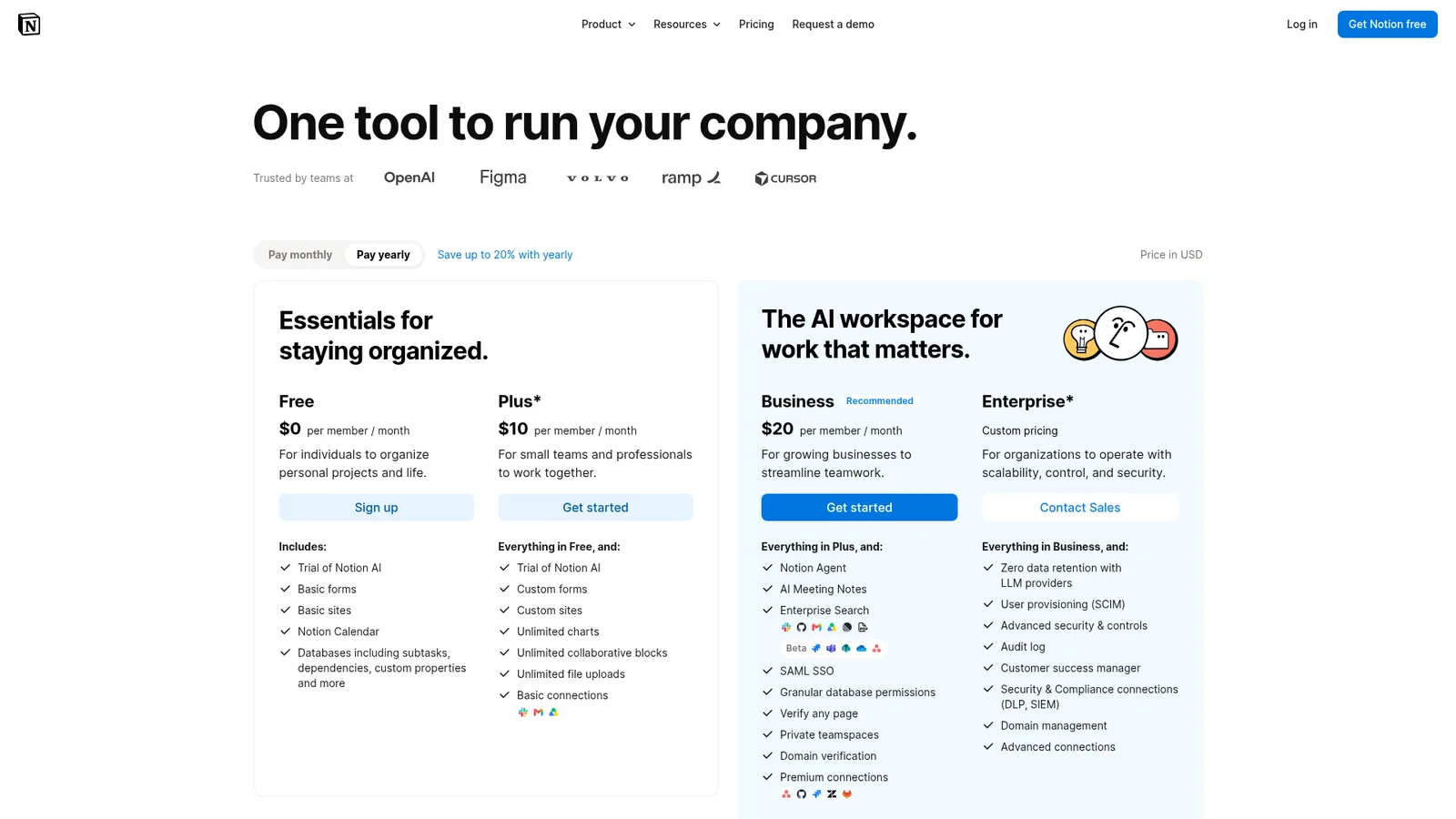
As of October 2026, Notion lists Free at $0, Plus at $10 and Business at $20 per member per month, with Enterprise on custom pricing.[1] Third-party sources disagree on billing terms. eesel AI describes $20 as the annual-billing rate[2], while Saner.AI lists Business at $20 monthly and $16 annually.[4] Confirm the figure at checkout before you budget.
Free works well for one person. Solo workspaces get unlimited blocks, but workspaces with 2+ members hit a block limit, after which you can edit existing content but not add new blocks.[1] Uploads cap at 5 MB per file, page history at 7 days and external guests at 10.[1] Students and educators get Plus free with a one-member limit.[1]
Plus is the awkward tier. It adds unlimited uploads (about 5 GB per file), 30-day history, unlimited charts and database automations.[1][2] AI is still only a trial, so Plus teams pay for collaboration, not AI.[1] New Free and Plus users lost the old AI add-on in May 2025.[4]
Business is where most teams get their money's worth. It adds Notion Agent, AI Meeting Notes, SAML SSO and private teamspaces.[1] eesel AI argues that if you're paying for a separate wiki, project tracker, docs tool and AI writing software, Notion at $20 per user probably replaces all four.[2] If your team only needs docs, you pay double the Plus price for AI you may not use.
Watch the extras. Custom Agents are free to try, then $10 per 1,000 monthly Notion credits.[1] Credits don't roll over, so over-buying wastes money.[7] Custom domains cost $8 per domain per month on annual billing or $10 monthly.[1] Refunds on monthly billing are limited to 3 days.[11]
- Plus has no full AI, only a trial[1]
- Custom Agent credits are extra and expire monthly[1][7]
- Custom domains cost $8–$10 per month each[1]
- Guests are free but get no AI access[1][4]
- Mid-month seat additions are prorated[1]
Pros and cons
Pros
- Docs, wikis and databases live in one linked workspace
- Capable Free plan for solo users
- Full AI suite bundled into the $20 Business plan
- SOC 2 Type 2, four ISO certifications and BSI C5
- Broad integrations plus API, webhooks and MCP
- Over 40,000 templates shorten setup
Cons
- Plus plan gets only an AI trial
- Custom Agent credits cost extra and don't roll over
- Automations can't filter on relational properties
- Slows down with large or complex databases
- Limited offline access
- No live chat; email support reportedly slow
Hands-on evidence: what we checked and what others found
We have not used Notion's paid features or run our own tests for this review. Our evidence is Notion's public pages plus the third-party reviews we cite.
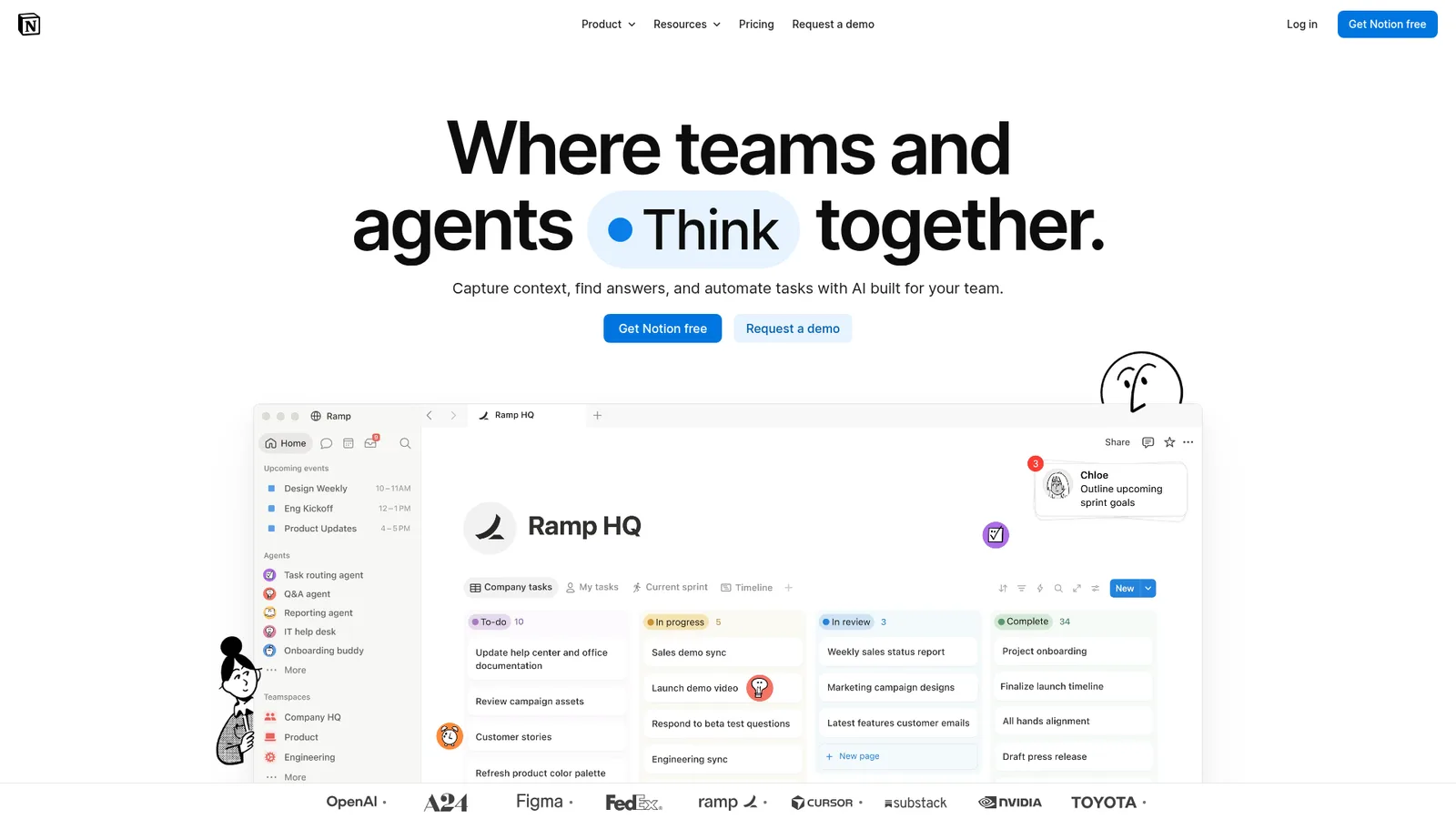
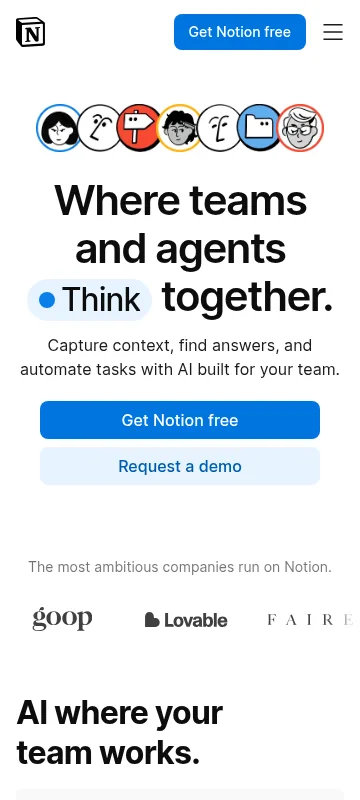
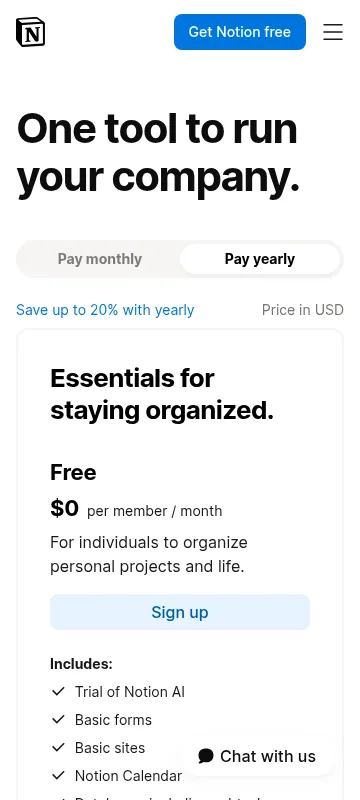
Notion's pricing page shows the four plans, with Business marked as recommended at $20 per member per month.[1] Custom Agents and Workers (beta) appear after the plan cards as separate items.[1] The homepage highlights 100M users in over 50 countries and says 62% of the Fortune 100 use Notion.[12]
On project tracking, a video reviewer reports the timeline view is not a true automated Gantt chart and there is no native time tracker.[7] eesel AI found that database automations can't filter on relational properties, and buttons can't trigger existing automations.[2] A G2 reviewer adds that one automation can't directly trigger another.[3]
On agents, Notion says every run is logged with an audit trail and changes can be undone through version history.[10] A Suggest-edits mode lets you review agent changes before they apply.[6] eesel AI notes some users report scheduled Custom Agent runs failing.[2] We could not verify that, and we did not test AI Meeting Notes accuracy.
Support and integrations
Self-serve help comes through the Help Center and a public status page.[1][13] Notion lists priority support through the in-app Help button, and Enterprise adds a customer success manager.[1] There is no live chat. Saner.AI describes support as email-only with long waits, and quotes users saying the same.[4]
Integrations are broad. Notion connects to Slack, GitHub, Figma, Amplitude and Jira[8], and its connections also cover Google Drive and Asana.[2] AI connectors that feed Enterprise Search cover Slack, GitHub, Google Drive, Microsoft Teams, Salesforce, Jira, Box, OneDrive, Asana and Outlook, with Linear added recently.[2] Basic connections such as Slack and Google Drive come with Plus. Premium ones such as GitHub and Asana need Business.[1]
Developers get a public API, webhooks, a CLI and Workers, a serverless code runner in beta.[2] Workers started using Notion credits on 11 August 2026.[2] Custom MCP connections let agents work with tools like GitHub and Amplitude, in beta on Business and Enterprise.[6] One gap: agents can't read private Slack channels yet.[10]
- Priority in-app support listed on the pricing page[1]
- Customer success manager on Enterprise[1]
- No live chat; email support reportedly slow[4]
- Public API, webhooks, CLI and Workers (beta)[2]
- Custom MCP connections (beta)[6]
Security and reliability
Notion's certification list is strong for a tool at this price. It has a SOC 2 Type 2 report, ISO 27001, 27701, 27017 and 27018 certifications, and BSI C5.[13] HIPAA workloads are possible on Enterprise with a signed Business Associate Agreement.[13]
Notion says it does not train AI models on customer content, and its contracts bar AI subprocessors from doing so.[1][10] Zero data retention with LLM providers is Enterprise-only.[1] Meeting transcript deletion windows are also Enterprise-only.[9]
SAML SSO arrives on Business. SCIM provisioning, the audit log and DLP and SIEM connections need Enterprise.[1] Notion runs on AWS and Cloudflare infrastructure with multi-zone redundancy.[13] Notion also promises 99.9% uptime and runs a public bug bounty.[13]
There are gaps. You can't password-protect individual pages.[5] For agents, Notion adds prompt-injection detection and admin control over who can create agents and connect MCP servers.[10] Teams with strict audit needs should budget for Enterprise, not Business.
- SOC 2 Type 2, four ISO standards, BSI C5[13]
- HIPAA with a BAA on Enterprise[13]
- No AI training on customer data[10]
- SAML SSO listed on the Business plan; SCIM and audit log on Enterprise[1][11]
- No page-level password protection[5]
How we score it
Databases with six views, a full AI suite and Custom Agents cover most team needs, though automation lacks relational filters and there is no time tracker.[1][7][6][2]
The block editor and templates make basics easy, but reviewers report a steep curve, a setup trap and slowdowns on large databases.[3][5][2][7]
Free and Business offer good value, but Plus lacks real AI and Custom Agent credits at $10 per 1,000 don't roll over.[1][7][11]
Priority in-app support is listed, but there is no live chat and users report slow email replies.[1][4]
Alternatives: when to pick something else
Pick Coda if you want docs that behave like apps, with formulas, Packs and two-way sync, and you accept a steeper learning curve. Saner.AI notes Coda AI handles structured data better for spreadsheet-like docs.[4] Pick Airtable if relational data and ops workflows are the core need. Its docs and wikis are weaker than Notion's.
Pick ClickUp or Monday.com if task execution matters more than documentation. eesel AI's comparisons conclude ClickUp wins on automation depth and Notion wins on docs.[2] ClickUp includes Gantt, workload and time tracking. One reviewer notes ClickUp sells AI as a separate add-on, while Notion bundles it into Business.[7]
If your team lives in Jira for execution and just needs a place to document decisions and maintain a product wiki, Notion is a natural fit.[2]
Individuals who want local-first, offline Markdown notes should look at Obsidian. A three-year Notion user says connecting and searching 1,000+ notes becomes cumbersome in Notion compared with Obsidian.[5]
- Coda: doc-as-app logic
- Airtable: relational data and ops workflows
- ClickUp and Monday.com: task automation and PM depth
- Confluence, Slite, Microsoft Loop: wiki-focused teams
- Obsidian: local-first personal notes
| Feature | Notion | Coda | ClickUp | Airtable |
|---|---|---|---|---|
| Starting paid price | $10 per member/month (Plus) | — | — | — |
| Free plan | Yes | Yes (limited) | — | — |
| AI included | Full AI on Business ($20/member/month) | — | Separate add-on | — |
| Docs and wikis | Core strength | Docs-as-apps | Secondary to tasks | Weaker than Notion |
| Project management | Flexible; no native time tracker | Build-it-yourself | Gantt, workload, time tracking built in | Powerful views for ops workflows |
| Automation | Basic; no relational filters | Formulas, Packs, two-way sync | Deeper than Notion | Powerful automations |
| Learning curve | Steep beyond basics | Steeper than Notion | — | — |
| Best for | Docs-first teams and startups | Data-heavy, app-like docs | PM-first teams | Database-driven ops |
FAQ
Is Notion worth it in 2026?
For docs- and wiki-first teams and startups, yes. It holds 4.6 out of 5 on G2 from 11,896 reviews, and it can replace a wiki, a simple tracker and an AI tool.[3][2] Teams that need deep automation or Jira-level tracking should look elsewhere.[2]
Is Notion free to use?
Yes. The Free plan costs $0 and has unlimited blocks for solo workspaces, but workspaces with 2+ members hit a block limit.[1] It also caps uploads at 5 MB per file, history at 7 days and guests at 10.[1]
Does Notion AI cost extra, and which plan includes it?
Full Notion AI, including Notion Agent and AI Meeting Notes, is included in Business at $20 per member per month, and Enterprise includes everything in Business.[1] Free and Plus get only a limited AI trial.[1]
How much do Notion Custom Agents cost?
Custom Agents are free to try, then cost $10 per 1,000 monthly Notion credits, as of October 2026.[1] Workspace admins can monitor Custom Agent usage and credit consumption.[10]
Is Notion better than ClickUp for project management?
No, not for execution-heavy work. Comparisons cited by eesel AI consistently find ClickUp wins on automation depth while Notion wins on docs.[2] Notion also lacks a native time tracker and a true automated Gantt chart.[7]
Is Notion secure enough for sensitive business data?
For most companies, yes. Notion has SOC 2 Type 2, four ISO certifications and BSI C5, and supports HIPAA on Enterprise with a BAA.[13] Audit logs, SCIM and zero data retention with LLM providers need Enterprise, and password support is limited.[1][5]
Verdict
Notion is the right pick for startups and docs-first teams that want a wiki, lightweight project tracking and AI in one place.[2] Start on Free, and move to Business at $20 per member per month only if your team will use Notion Agent and AI Meeting Notes regularly.[1] Budget separately for Custom Agent credits, which cost $10 per 1,000 monthly credits after a free trial.[1]
If your priority is task automation and execution, ClickUp or Monday.com will serve you better. If you need relational data for ops, choose Airtable, and if you want app-like docs, try Coda. Solo users who want local-first notes should look at Obsidian.
Sources
- [1] Notion Pricing Plans: Free, Plus, Business, & Enterprise. · notion.com · retrieved Oct 10, 2026
- [2] Notion review (2026): brilliant for docs and wikis, frustrating for automation | eesel AI · eesel.ai · retrieved Oct 10, 2026
- [3] Notion Reviews 2026: Details, Pricing, & Features | G2 · g2.com · retrieved Oct 10, 2026
- [4] Honest Notion AI Review (2026): Is the AI Actually Worth It? | Saner.AI · saner.ai · retrieved Oct 10, 2026
- [5] My Honest Notion Review After Using It For +3 Years (2026) · thebusinessdive.com · retrieved Oct 10, 2026
- [6] What’s New – Notion · notion.com · retrieved Oct 10, 2026
- [7] Notion Review 2026: Is It Still the Best All-in-One Workspace? - YouTube · youtube.com · retrieved Oct 10, 2026
- [8] Your connected workspace for wiki, docs & projects | Notion · notion.com · retrieved Oct 10, 2026
- [9] AI Meeting Notes—Perfect meeting memory | Notion · notion.com · retrieved Oct 10, 2026
- [10] Meet your 24/7 AI team | Notion · notion.com · retrieved Oct 10, 2026
- [11] Notion Pricing Plans: Free, Plus, Business, & Enterprise. · ai.g2.com · retrieved Oct 10, 2026
- [12] The AI workspace that works for you. | Notion · notion.com · retrieved Oct 10, 2026
- [13] Notion Security & Compliance | SOC 2 Certified, trusted by Enterprises · notion.com · retrieved Oct 10, 2026